This article may contain affiliate links. If you buy through them we may earn a commission at no extra cost to you.
For most home and project studios, a closed-back pair in the $300–$600 range—such as the Beyerdynamic DT 990 Pro or Audio-Technica ATH-M70x—gives you accurate enough frequency response to make mix decisions you can trust on other systems. Open-back headphones above $600 are worth the jump only if you have a quiet, treated space and are doing critical listening or mastering work.
What separates studio headphones from consumer headphones
Consumer headphones are tuned to sound exciting: typically a 6–10 dB bass shelf below 100 Hz and a presence boost around 8–12 kHz. That coloration feels good on a commute but destroys your ability to judge a mix. If your headphones add 8 dB of low end, you’ll compensate by pulling bass out of your track—and it will sound thin everywhere else.
Studio headphones target a flat frequency response, meaning all frequencies reproduce at roughly equal volume. Beyond that, look for:
- Accurate stereo imaging: You need to place sounds precisely in the left-right field, not guess at them.
- Low distortion at mixing volumes: THD (total harmonic distortion) below 0.1% at 100 dB SPL is a reasonable benchmark.
- Tight frequency tolerance: ±3 dB or better from 20 Hz to 20 kHz. A ±5 dB spec allows 10 dB of swing across the spectrum—audible and problematic.
- Replaceable ear pads and cables: Pads harden within 12–24 months of daily use; replacements typically cost $30–$80 and extend headphone life by years.
Frequency response: reading the spec correctly
Manufacturers list frequency response as a range (20 Hz–20 kHz) and sometimes a tolerance (±3 dB, ±5 dB). The tolerance is what matters. Many brands publish the range without the tolerance, which tells you almost nothing—every headphone technically reaches 20 Hz if you measure at –30 dB. When a brand publishes a full frequency response chart, you can spot specific problems: a peak in the 3–5 kHz presence region makes vocals sound harsh and fatiguing; a dip at 2–4 kHz makes mixes sound congested; a bass shelf below 100 Hz will fool you into under-mixing low end.
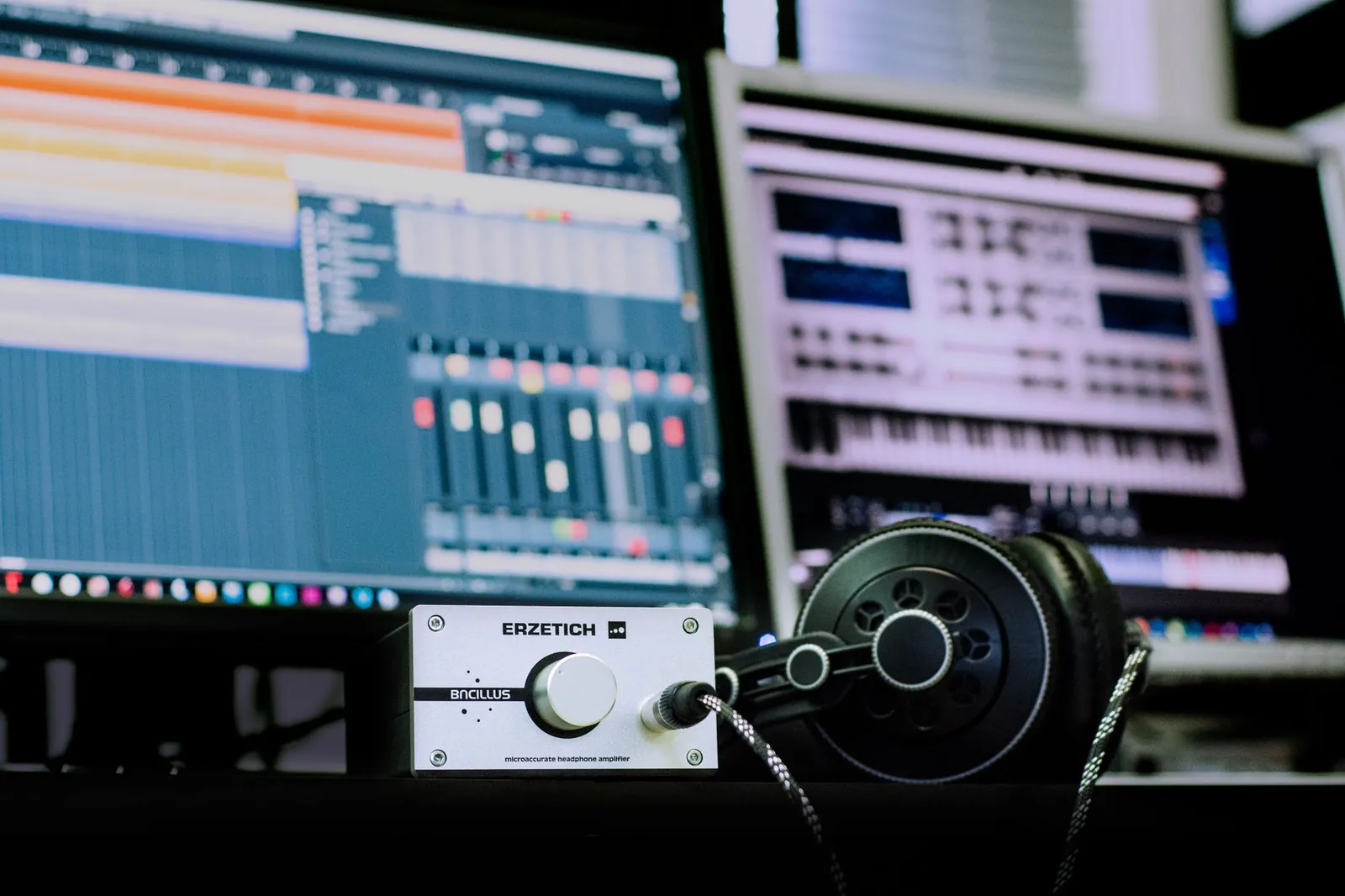
Impedance (ohms) determines how much power your interface needs to drive the headphones properly. Studio headphones range from 32 to 600 ohms. Anything under 80 ohms works with the headphone output on any standard audio interface. Above 150 ohms—Beyerdynamic’s 250-ohm DT series, for example—you may need a dedicated headphone amp to reach comfortable listening volume without pushing the interface’s output stage into noise.
Closed-back vs. open-back: the decision that matters most
Closed-back headphones
The sealed ear cup traps sound inside and blocks external noise—typically 10–25 dB of passive isolation depending on fit and design. That isolation is what makes closed-back headphones the default for recording sessions, where bleed into a live microphone is a real problem. The sealed chamber also reinforces bass, which is useful in untreated rooms but can add a slightly pressurized character some engineers find fatiguing after four or more hours.
Choose closed-back if you work in a noisy environment, record while monitoring, or mix in a room without acoustic treatment.
Open-back headphones
Vented ear cups let air move freely, removing the sealed-chamber coloration and producing a soundstage that more closely resembles speakers in a treated room. The cost: no isolation. Room noise bleeds directly into your ears, and your mix is audible to anyone nearby. Open-back designs also have naturally weaker bass extension, which is actually useful for mastering—you’re less likely to over-compensate for low end that isn’t there.
Choose open-back if you have a quiet, treated room and your primary task is critical listening or mastering rather than tracking.
Key specs at a glance
Sensitivity (dB SPL/mW) tells you how loud the headphones get per milliwatt of power. Studio headphones typically fall between 85 and 105 dB SPL/mW. Higher sensitivity means your interface reaches comfortable volume with less output, which keeps the noise floor lower. Lower sensitivity isn’t a dealbreaker if your interface has a clean, powerful headphone stage.
Weight and ear pad material determine whether you can wear the headphones for a full session. Above 300 grams, fatigue becomes noticeable within a few hours. Memory foam ear pads distribute pressure better than thin pleather and stay comfortable longer, though they absorb sweat and harden faster—plan to replace them annually with heavy daily use.
Cable design affects day-to-day usability. Single-sided cables are lighter and tangle less than coiled or dual-sided cables. Detachable cables with standard 3.5 mm or 2.5 mm connectors let you replace a worn connector without discarding the headphones. Proprietary connectors are a long-term liability.
Studio headphones by price and use case
| Price range | Best for | Key trade-offs | Examples |
|---|---|---|---|
| $150–$300 | Home recording, beat making, rough mixes | Bass accuracy drops below 80 Hz; comfort limits around 4–5 hours; fewer replaceable parts | Audio-Technica ATH-M40x, Sony MDR-7506 |
| $300–$600 | Professional mixing, small studios, detail work | Good accuracy across most of the spectrum; isolation varies by model | Beyerdynamic DT 990 Pro, Audio-Technica ATH-M70x |
| $600–$1,200 | Critical mastering, professional studios, all-day use | Higher cost; models above 150 ohms need a dedicated amp | Sennheiser HD 660S, Focal Spirit Pro |
| $1,200+ | Mastering suites, reference-grade work | Diminishing returns without a treated room and trained ear; amp required | Audeze LCD-2, Sennheiser HD 800S |
Our verdict
The $300–$600 closed-back tier covers the needs of most home and project studio engineers. Below $300, bass accuracy and long-session comfort suffer noticeably. Above $600, gains are real but depend heavily on your room and monitoring chain. Avoid any headphone marketed as “studio” that doesn’t publish a frequency response chart with tolerance—that omission usually means the curve doesn’t hold up to scrutiny.
Flat frequency response matters more than brand name; a $400 pair with a published ±3 dB chart beats a $1,000 pair with marketing hype and no specs.
How to evaluate headphones before committing
Buy from a retailer with a 30-day return window and test with tracks you know at the source level—professional mixes, live recordings, and your own finished work. Listen for bass that’s present but not bloated, vocals that are clear without sounding harsh, and a stereo field where panning decisions are obvious rather than vague. After two to three hours, note whether your ears feel fatigued; presence peaks around 3–5 kHz are a common culprit.
Then export a rough mix and check it on studio monitors, earbuds, and a car stereo. A small difference between systems—slightly more bass on headphones, slightly less air on earbuds—is normal and correctable with experience. A dramatic difference, where the mix sounds completely unbalanced on other systems, points to headphone coloration you’ve been compensating for without realizing it.
Do you need a headphone amp?
Most audio interfaces drive 32–80 ohm headphones cleanly. You need a separate headphone amp if you use headphones above 150 ohms, or if you need to feed multiple pairs simultaneously for a band recording session. If your interface’s output sounds thin or noisy at comfortable volume, a dedicated amp in the $100–$300 range—the Behringer AMP800 handles four outputs; the Audient ASP800 adds hardware volume control—can reduce noise floor and improve clarity without replacing your interface.
Maintenance
Studio headphones last 5–10 years with basic care. Replace ear pads when they harden or crack—typically every 12–24 months of daily use, at a cost of $30–$80 depending on the brand. Coil cables loosely; tight coils kink the internal wires and cause intermittent dropouts. Wipe ear pads with a dry cloth after sessions to slow moisture damage to the foam and stitching. Check the cable connector monthly for oxidation or physical damage, which is the most common failure point on heavily used headphones.
Frequently asked questions
Can I use studio headphones for listening to music?
Yes, though the experience depends on the genre. Pop and hip-hop can sound thin without the bass shelf consumer headphones add. Classical, jazz, and acoustic recordings sound excellent because the flat response reveals the recording’s natural character rather than flattering it. Most engineers who use studio headphones daily adjust to the sound within a few weeks and prefer it for casual listening.
What’s the difference between studio headphones and noise-cancelling headphones?
Active noise cancellation uses microphones and processing to cancel external sound, which introduces latency and can add low-level artifacts—both problems during mixing. Studio headphones use passive isolation: a sealed design and a good physical fit. Passive isolation is cleaner for production work. Active noise cancellation is useful for travel or open-plan offices where you aren’t making mix decisions.
Do I need a treated room to use studio headphones?
No. Closed-back studio headphones isolate you from room reflections, which is one reason they’re useful in untreated spaces. A treated room matters most when you’re using studio monitors. That said, mixing exclusively on headphones introduces its own coloration—always reference your mixes on at least two other playback systems before finalizing.
Should I choose closed-back or open-back?
Closed-back if you work in a noisy space, record while monitoring, or mix in an untreated room. Open-back if you have a quiet, treated room and your work is primarily critical listening or mastering. When in doubt, start with closed-back—the isolation is more forgiving of imperfect environments, and you can always add open-back later for reference work.
How often should I replace studio headphones?
The headphones themselves should last 5–10 years with proper care. Ear pads need replacing every 12–24 months of heavy use. Cables are the most common failure point; detachable cables make this a $10–$20 fix rather than a reason to replace the whole unit. If the sound changes noticeably—usually a sign of driver damage from sustained high-volume use—that’s when replacement makes sense.

Lena writes about smart home, audio and the software settings nobody reads the manual for.