This article may contain affiliate links. If you buy through them we may earn a commission at no extra cost to you.
The DJI Osmo Action 4 ($179–$229) is the best budget action camera for vlogging under $300. It combines a larger-than-average 1/1.3″ sensor, RockSteady stabilization that holds up on walking shots, a 2.4-inch rear touchscreen for solo framing, and 150 minutes of 4K 30fps battery life—nearly double what GoPro’s comparable model offers. If you can stretch to $350, the GoPro Hero 11 Black Mini edges it on sensor quality and ecosystem reliability. Below $120, the AKASO Brave 7 LE works as a trial run but not for publishing.
What to prioritize in a budget action camera for vlogging
Vlogging puts different demands on a camera than action sports. You need smooth footage while walking, reliable audio capture, and a way to frame yourself without a second person holding the camera. Budget action cameras—priced $100–$300—make specific trade-offs to hit those price points: smaller sensors, weaker low-light performance, and shorter battery life compared to flagships above $400.
Stabilization matters more than resolution
Electronic image stabilization (EIS) works by cropping the sensor and shifting the frame digitally. On budget models, this crop reduces your effective field of view by 5–15% depending on the mode. The trade-off is worth it: without stabilization, handheld walking footage is unwatchable. Optical stabilization (OIS), which uses moving lens elements and preserves the full field of view, appears in almost no camera under $300.
Audio input determines whether you need a second device
Action camera microphones pick up wind noise and mechanical vibration. A 3.5mm mic input jack lets you plug in a wired lavalier or receiver for a wireless system. Without it, you’re either stuck with built-in audio or syncing a separate recorder in post. Several budget models—including the AKASO Brave 7 LE—omit the jack entirely, which is a meaningful limitation if you’re filming outdoors or in noisy environments.
Screen and battery life for solo shooting
A rear LCD screen lets you frame shots without opening an app. Budget 4K cameras typically deliver 60–90 minutes per charge; the DJI Osmo Action 4 is an outlier at 150 minutes. Touchscreen responsiveness varies: the DJI and Insta360 X3 feel responsive; cheaper models introduce noticeable lag that makes menu navigation frustrating.
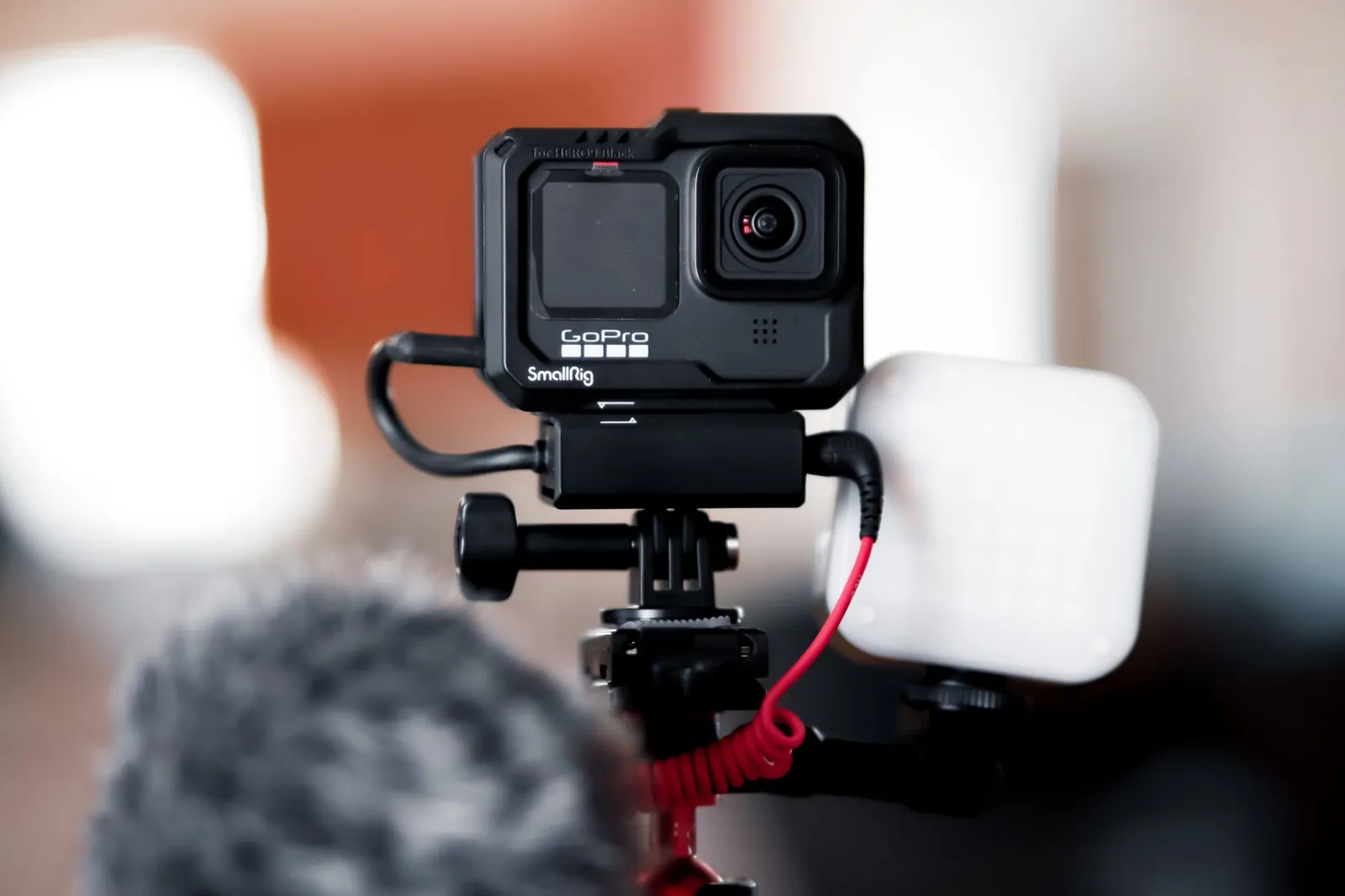
GoPro Hero 11 Black Mini ($350–$400)
Technically above the $300 ceiling, but worth including because it regularly discounts to $350 and represents the top of the budget-adjacent tier. The 1/1.9″ sensor is larger than most rivals here, and HyperSmooth 5.0 stabilization is the most effective EIS we tested—it handles uneven terrain and stair-climbing better than RockSteady in side-by-side clips. You also get a 3.5mm mic input and GoPro’s waterproofing to 33 feet without a housing.
The significant drawback: no rear screen. Framing requires the GoPro app, which adds setup time and drains your phone battery. Battery life is 60–75 minutes at 4K 30fps. At this price, you’re paying for sensor quality, stabilization polish, and a warranty ecosystem that budget brands don’t match.
DJI Osmo Action 4 ($179–$229)
The strongest value in this comparison. RockSteady stabilization is nearly indistinguishable from HyperSmooth in daylight walking footage. The 1/1.3″ sensor—larger than every other camera in this price range—produces cleaner color and recovers more shadow detail. The 2.4-inch rear touchscreen is the most usable display here, and 150-minute battery life at 4K 30fps means you can shoot a full morning without swapping batteries.
Three real weaknesses: color science leans cool, with blues and greens that oversaturate in high-contrast outdoor scenes. Raw video export is capped at 4K 24fps. And the DJI app, while functional, is less refined than GoPro’s for editing and sharing directly from your phone.
Insta360 X3 ($299–$349)
The X3 records full 360° video at 5.7K, which you can crop to standard 16:9 in post—effectively giving you a camera that can reframe shots after the fact. FlowState stabilization produces gimbal-smooth results. Dual microphones capture directional audio from both lenses. For creators who want to experiment with perspective-shifting edits or invisible selfie-stick shots, there’s no cheaper entry point.
The honest trade-off: 360° footage files run large (plan for a 256GB card minimum for a full day), and post-processing takes longer than standard footage. If you want straightforward forward-facing vlogging, a fixed-lens camera at this price delivers sharper results in the final export.
AKASO Brave 7 LE ($80–$120)
Records 4K at 30fps and includes a 2-inch screen, but the stabilization is weak enough that walking footage requires a gimbal to be usable. No 3.5mm mic input. Battery life is 60 minutes. The lens cover scratches within weeks of regular use. Build quality reflects the price.
One legitimate use case: buying this before committing $180–$350 to find out whether action cameras fit your workflow. It is not a camera for publishing-quality vlogging.

Comparison table
| Model | Price | Sensor Size | 4K Stabilization | Mic Input | Screen | Battery (4K 30fps) |
|---|---|---|---|---|---|---|
| GoPro Hero 11 Black Mini | $350–$400 | 1/1.9″ | HyperSmooth 5.0 | Yes (3.5mm) | None (app only) | 60–75 min |
| DJI Osmo Action 4 | $179–$229 | 1/1.3″ | RockSteady | Yes (3.5mm) | 2.4″ touchscreen | 150 min |
| Insta360 X3 | $299–$349 | Dual 1/2″ (360°) | FlowState | Yes (dual mics) | 1.3″ touchscreen | 80 min |
| AKASO Brave 7 LE | $80–$120 | 1/2.7″ | Basic EIS | No | 2″ LCD | 60 min |
Our verdict
At $179–$229, the DJI Osmo Action 4 is the pick for most vloggers: the largest sensor in its price tier, the longest battery life tested, a usable rear screen, and a 3.5mm mic input. At $350, the GoPro Hero 11 Black Mini justifies its premium with better stabilization and sensor quality—if you can live without a rear screen. The Insta360 X3 is the right call only if 360° editing is part of your creative plan. The AKASO Brave 7 LE is a proof-of-concept purchase, not a production tool. See how these stack up against your phone in our action camera vs. smartphone camera guide.
Budget action cameras succeed at vlogging when you prioritize stabilization and audio input over sensor size; everything else is secondary.
Accessories that extend what these cameras can do
External microphone
The Rode Wireless GO II ($299) transmits wirelessly to your camera’s 3.5mm input. For a lower-cost option, the Rode Lavalier GO ($99) is wired but clips to your shirt and cuts wind noise significantly. Either one moves your audio from a liability to an asset.
ND filters
A set of neutral density filters ($20–$40) prevents overexposure in bright sunlight and lets you drop shutter speed for natural motion blur. Most budget cameras ship with only a clear UV filter.
Extra batteries and a fast charger
Spare batteries run $15–$40 each depending on the brand. A fast charger ($25–$50) cuts charge time from roughly two hours to 45 minutes—worth it if you’re filming across multiple locations in a day.
Frequently asked questions
Can I use a budget action camera for vlogging full-time?
Yes, with realistic expectations. These cameras produce usable 4K footage in daylight with adequate stabilization. Low-light performance degrades noticeably below indoor lighting levels, and battery constraints become a scheduling factor on longer shoot days. The content you produce matters more than the camera you use to produce it.
Is 4K necessary for vlogging, or should I shoot 1080p?
Shoot 4K even if you deliver 1080p. The extra resolution gives you room to crop, reframe, and apply post-stabilization without softening the final image. Budget cameras handle 4K 30fps without overheating in most conditions; 4K 60fps is where thermal throttling tends to appear after 20–30 minutes of continuous recording.
Do I need waterproofing if I’m not doing water sports?
Waterproofing protects against rain and sweat, not just submersion. Cameras rated IP67 (submersible to 3 feet for 30 minutes) cost roughly the same as non-waterproof models at this price tier. It’s useful insurance for outdoor shooting, not a requirement for studio or indoor vlogging.
How much should I spend on audio if my camera has no mic input?
If your camera lacks a 3.5mm jack, a wireless lavalier system that records to your phone ($100–$150) and syncs in post is cheaper than upgrading your camera. Record a clap at the start of each clip to make sync faster. Avoid relying on the built-in mic for any content where dialogue matters.
What’s the difference between EIS and OIS stabilization?
EIS crops the sensor and shifts the frame digitally—effective for walking shots but reduces field of view by 5–15%. OIS uses moving lens elements to stabilize without cropping, preserving the full frame. OIS is rare under $300 and appears in almost none of the cameras in this comparison. For vlogging at a walking pace, good EIS is sufficient.

Dev has benchmarked laptops and phones for a decade and still reads the changelog before updating.


