This article may contain affiliate links. If you buy through them we may earn a commission at no extra cost to you.
Three laptops under $500 consistently outperform the rest for student use: the Lenovo IdeaPad 3, ASUS VivoBook 15, and HP Pavilion 15. All three ship with 1080p displays, SSDs, and 8GB RAM—the baseline you need to avoid daily frustration. The differences come down to battery endurance, processor generation, and storage capacity, which this guide breaks down specifically.
What You Actually Get for $500

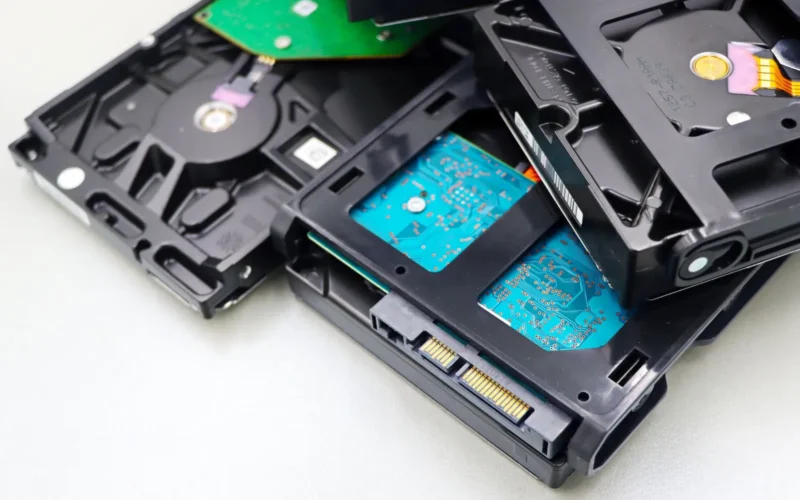
The $500 ceiling forces two main trade-offs. On storage, you’ll find either a 256GB SSD or a slower 512GB HDD—and the SSD wins every time. A laptop with an SSD boots in 15–20 seconds; an HDD takes 45–60. That gap compounds across a semester when you’re opening browser tabs, PDFs, and a text editor simultaneously. See our guide on SSD vs HDD storage differences for the full breakdown.
On display, the divide is between 1366×768 (older standard, text appears grainy, limited room for side-by-side windows) and 1920×1080 (sharp enough for long reading sessions and coding). The good news: full HD panels are now common even at $400. Weight across this category runs 3.6–4.0 pounds—manageable for daily campus carry.
Processor Comparison: Intel vs AMD Under $500
Intel’s 13th-gen Core i3-1315U appears frequently in $400–$500 laptops and handles document editing, web browsing, and video calls without throttling. AMD’s Ryzen 5 5500U is an older architecture but delivers better multi-threaded performance—relevant if you’re running virtual machines or compiling code for an engineering or CS program.
For a typical student workflow—Zoom, Google Docs, Slack, a browser with 15 tabs—neither chip will be the bottleneck. The practical difference surfaces only in software like Photoshop or Premiere Pro, which few students use daily at this price point.
RAM and Multitasking: How Much Is Enough?
Eight gigabytes handles 15–20 browser tabs, a text editor, Spotify, and a PDF reader without noticeable slowdown. Twelve gigabytes adds breathing room for large spreadsheets or simultaneous virtual machines. Before buying, check whether the RAM is soldered to the motherboard—many budget models don’t allow upgrades, so if you expect to need 16GB within two years, factor that in now. Read more about RAM requirements for multitasking.
Display and Keyboard: Where Budget Cuts Hurt Most
These two components determine how comfortable the laptop feels after three hours of use. At $500, here’s what varies:
- 1366×768 resolution: Text appears slightly blurry; less screen real estate for side-by-side windows—avoid if you can
- 1920×1080 resolution: Sharper text, better for document work and coding; increasingly standard even at $400
- Keyboard travel: Many budget keyboards feel flat and mushy; Lenovo and Dell maintain above-average typing feel on their budget lines
- Trackpad size: Pads narrower than 3 inches frustrate precision work; check dimensions in the spec sheet before ordering
Battery life and keyboard quality matter more than processor speed for student laptops, because you’ll use them daily for hours.
Top Budget Laptop Options Under $500

| Laptop | Processor | RAM / Storage | Display | Battery | Weight | Typical Price |
|---|---|---|---|---|---|---|
| Lenovo IdeaPad 3 | Intel Core i3-1315U | 8GB / 256GB SSD | 15.6″ 1920×1080 | 8–9 hours | 3.75 lbs | $399–$479 |
| HP Pavilion 15 | Intel Core i5-1235U | 8GB / 512GB SSD | 15.6″ 1920×1080 | 7–8 hours | 3.88 lbs | $449–$499 |
| ASUS VivoBook 15 | AMD Ryzen 5 5500U | 8GB / 512GB SSD | 15.6″ 1920×1080 | 9–10 hours | 3.64 lbs | $429–$489 |
| Dell Inspiron 15 | Intel Core i3-1215U | 8GB / 256GB SSD | 15.6″ 1920×1080 | 7–8 hours | 3.69 lbs | $379–$449 |
| Acer Aspire 3 | Intel Core i5-1235U | 8GB / 512GB SSD | 15.6″ 1920×1080 | 6–7 hours | 3.97 lbs | $399–$479 |
Our verdict
The Lenovo IdeaPad 3 offers the best balance of price, keyboard quality, and battery life for most students. If you need to get through a full day without a charger, the ASUS VivoBook 15 stretches to 10 hours and adds 512GB of storage at a similar price. The HP Pavilion 15 justifies its higher cost with a Core i5 and a 512GB SSD—worth it if you store large project files or media locally.
What to Avoid at This Price Point
Some specs are dealbreakers regardless of price:
- Pentium or Celeron processors: Fine for email and single-tab browsing; they struggle with video calls and multiple open applications
- 4GB RAM: Technically functional, but you’ll notice slowdown opening a second application alongside a browser
- HDD-only storage: The 30–45 second boot penalty and sluggish file access aren’t worth the extra capacity unless the price is below $300
- Glossy screens without anti-glare coating: Reflections make classroom and outdoor use difficult
- Plastic hinges or loose trackpads: Budget build quality sometimes fails within 6–12 months—check user reviews specifically for hinge and chassis complaints before buying
Frequently asked questions
Can I run Photoshop or video editing software on a $500 laptop?
Basic Photoshop edits are possible, but rendering video or working with image files over 500MB causes noticeable lag on an 8GB, Core i3 machine. If video editing is central to your coursework, budget $700 or more for a laptop with 16GB RAM and a stronger processor.
Is Windows or Chrome OS better for a budget student laptop?
Windows gives you broader software compatibility and full offline functionality. Chrome OS runs faster on weaker hardware and works well if your workflow is browser-based—but you’re limited to web applications. Most universities expect Windows compatibility for course software, making Windows the lower-risk choice.
How long will a $500 laptop last before it feels slow?
With normal use—browsing, documents, video calls—expect 3–4 years before noticeable slowdown. The SSD stays fast throughout; RAM and processor rarely become bottlenecks for typical student tasks in that window. After four years, battery capacity degrades enough to affect unplugged use, and accumulating software updates can introduce lag.
Should I buy refurbished or open-box to stay under $500?
Refurbished units from Dell’s or Lenovo’s official stores typically include a one-year warranty and have been inspected. Open-box units from retailers like Best Buy usually carry a 15–30 day return window. Avoid private sellers unless you can inspect the device in person and verify battery health with a tool like HWMonitor before committing.
Do I need a dedicated graphics card for schoolwork?
No. Integrated graphics handle web browsing, video calls, and light photo editing without issue. A dedicated GPU adds $200 or more to the price and reduces battery life. The exception is coursework in game development or 3D modeling, where integrated graphics become a hard limitation.

Lena writes about smart home, audio and the software settings nobody reads the manual for.